Is Heka safe? How your secrets stay on your Mac
Igor ·

Heka records how you work so AI can learn from it. But real work always puts some private information on screen, so how is it handled? Here is how. Your secrets are not part of the deal: passwords, card numbers, and IDs on your screen get blacked out on your Mac, before anything uploads.
Some apps are never recorded
Messengers, password managers, and call apps are blocked by default: Telegram, WhatsApp, Signal, Messages, Slack, Discord, 1Password, and many more. Heka does not record their windows; they show up as black squares. You can block any other app, and pause recording from the menu bar at any time.
The privacy model runs on your device
- Your device reads the text on screen with Apple's built-in text recognition.
- A built-in model trained to spot secrets finds passwords, card numbers, CVVs, IBANs, passport numbers, and other private info.
- Each one gets a solid black box, painted into the video. It cannot be undone.
 what happens after on-device censor
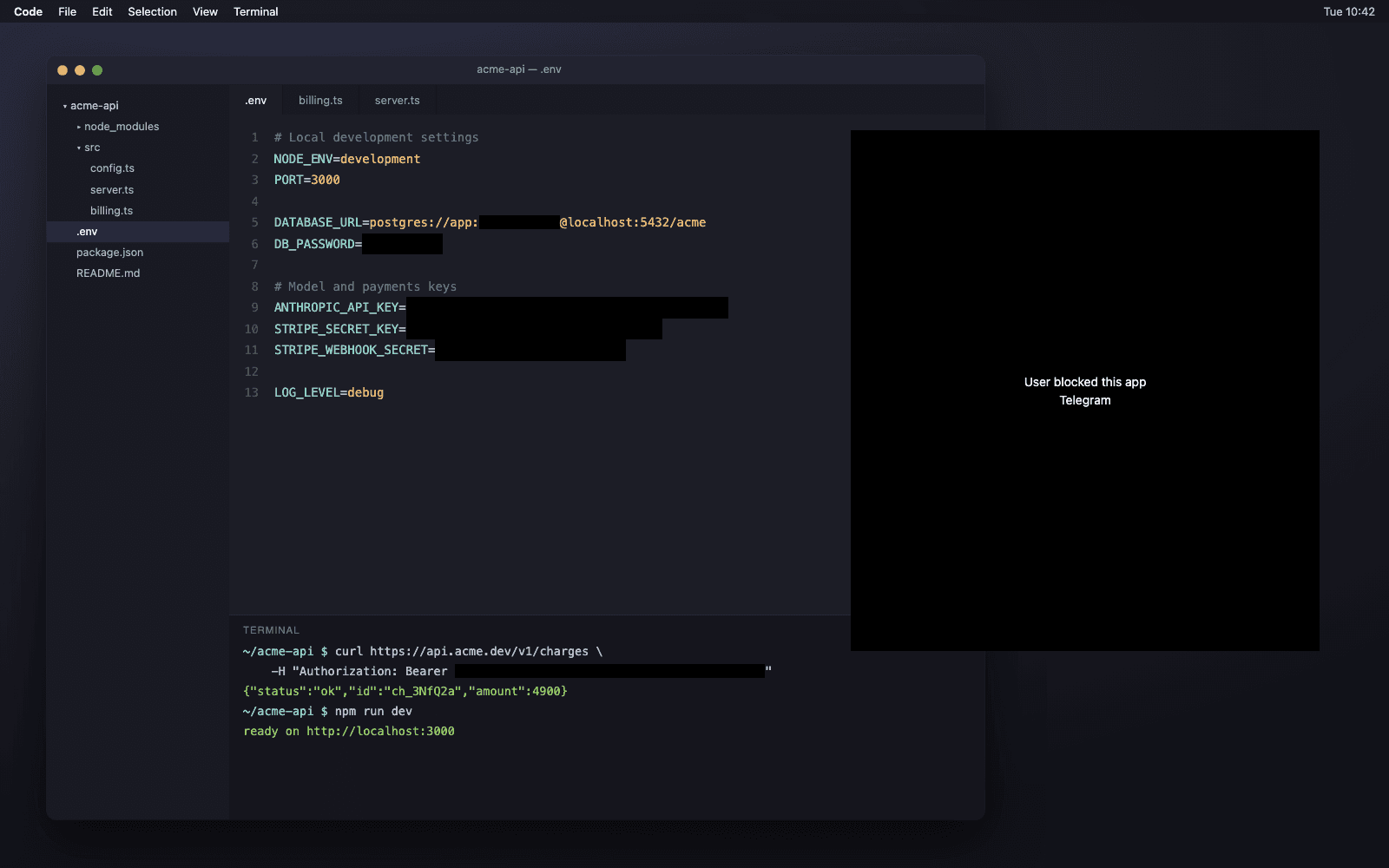
The models run on the Neural Engine, the AI chip inside Apple silicon Macs. That keeps the heavy work off the main processor, so your Mac stays smooth.
One more pass on our side
Uploaded recordings go through a second cleaner on our servers. Names, emails, and phone numbers are swapped for fake ones.
The full rules are in our Privacy Policy. In Chrome, the Heka extension points Heka straight at password and card fields, so they are easy to wipe out.
Frequently asked questions
- Is Heka safe to use?
- Heka blacks out passwords, card numbers, IDs, and keys on your screen before anything uploads, using models that run on the Neural Engine. A second check keeps any recording with a missed value on your Mac. Messenger and password manager windows are not recorded by default.
- Does Heka send my screen to the cloud to anonymize it?
- No. Finding and hiding secrets happens on your Mac. A recording uploads only after it has been masked and has passed the second check.
- What happens if the model misses a password or card number?
- A separate check reads the finished recording again. If it finds a secret the masks missed, the recording stays on your Mac and is not uploaded.
- Can I keep an app out of my recordings?
- Yes. Block any app in Heka, or pause recording from the menu bar. Messengers, password managers, and call apps are blocked by default.
Heka pays you for the work you already do on your Mac. Get early access.